Autel MaxiVCI V200 VCI200 OBD2 Bluetooth Connector Adapter Vehicle Communication Interface Work with Vehicle OBD2 Scanner MS906PRO MS906PRO-TS KM100 BT608 ITS600 BT609.
Autel MaxiVCI V200
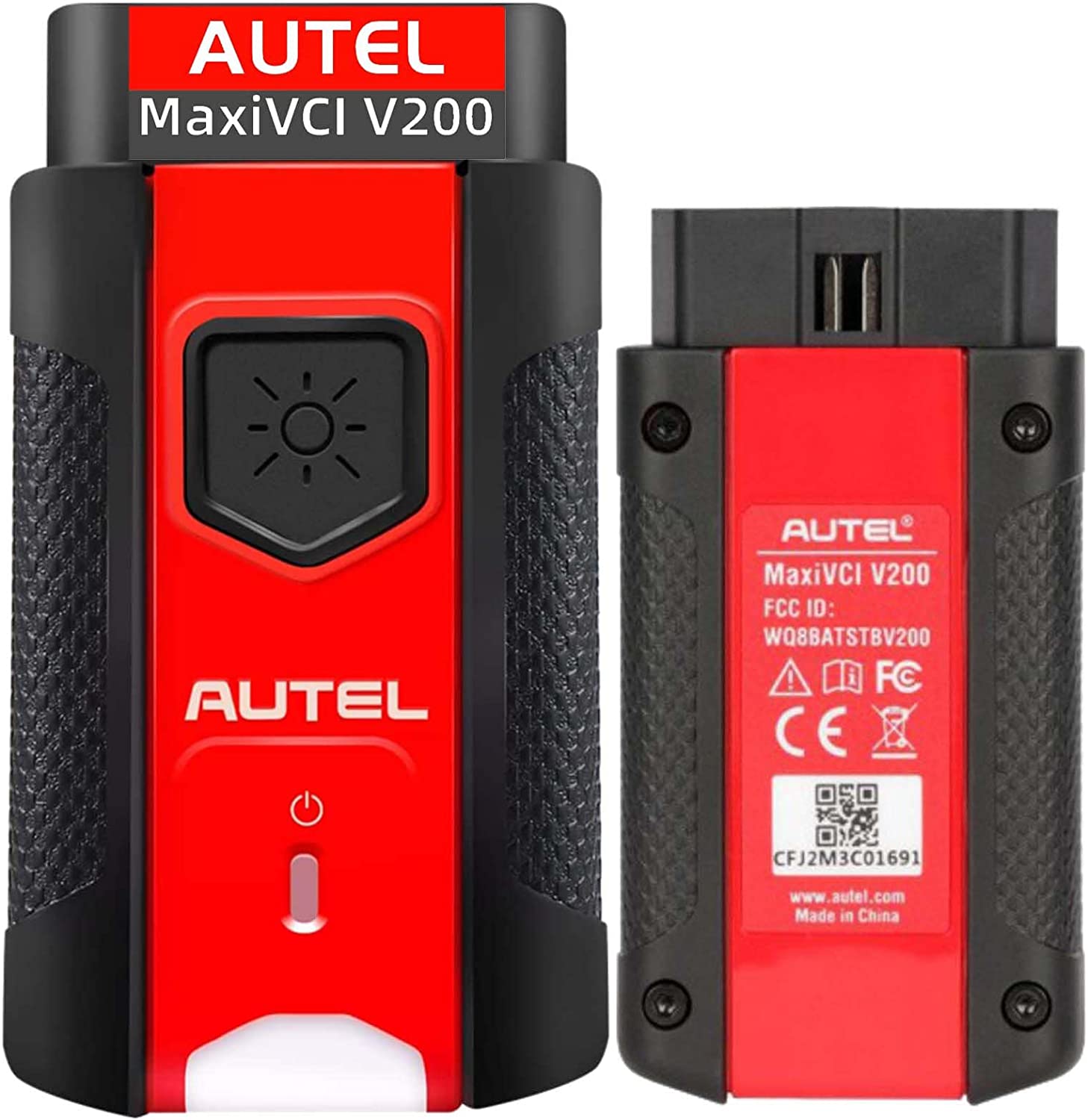
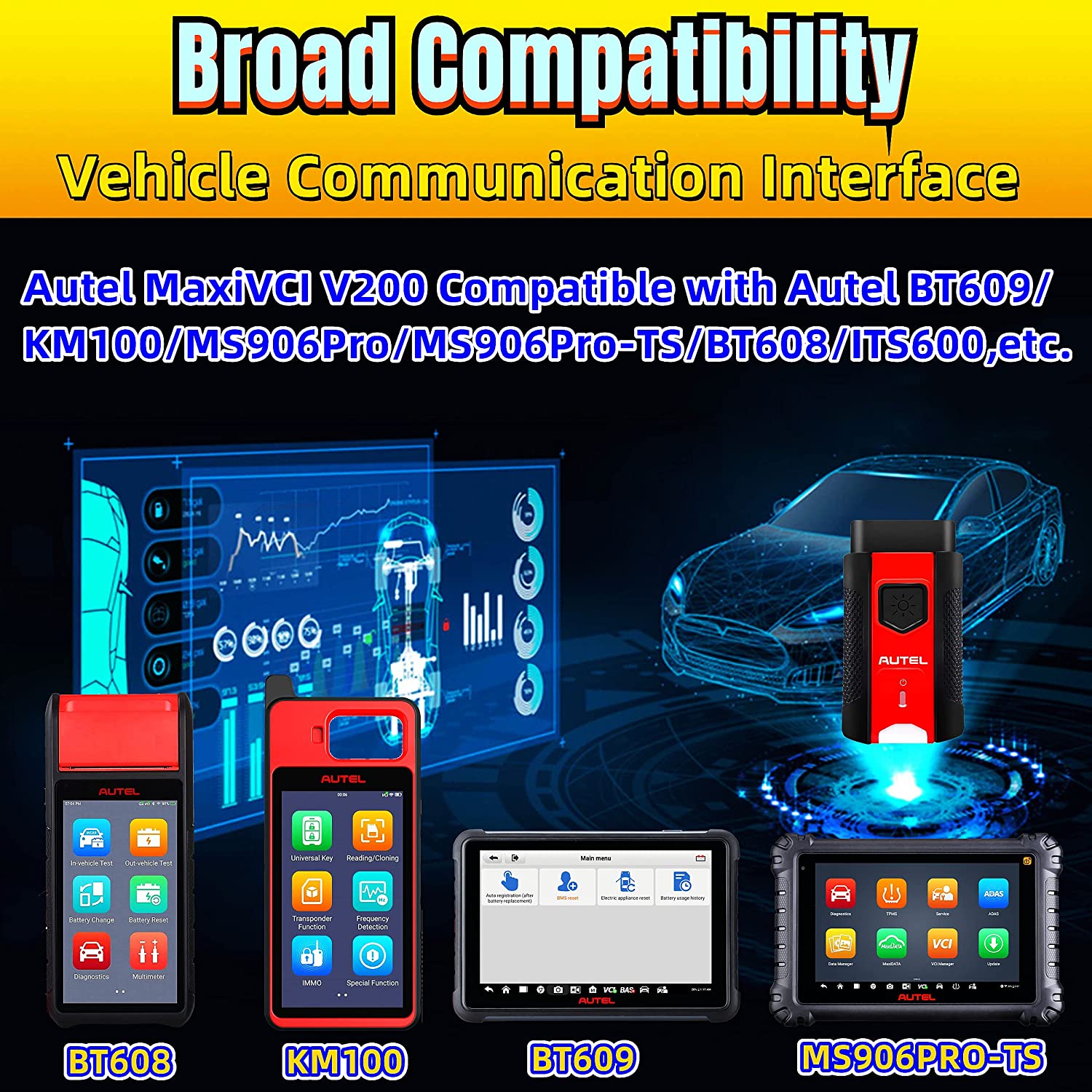
Autel MaxiVCI V200 is a VCI (Vehicle Communication Interface) device, which is a replacement Bluetooth vehicle communication interface. This is an optional Bluetooth VCI adapter for the MaxiSys series of tools and a replacement dongle for the MaxiBAS and new MaxiSys tools including Autel MS906Pro/ MS906Pro-TS/ KM100, MaxiBAS BT608 , MaxiBAS BT609,etc.Supports DoIP and canFD (4-pin sets).
The MaxiVCI V200 wireless diagnostic interface is a small interface box used to connect to a vehicle’s diagnostic connector (DLC) and connect wirelessly with the MaxiSYS Display Tablet, as well as standalone PC, as a vehicle communication interface (VCI) for vehicle data transmission. Thanks to the wireless BT technology, with which you are allowed to work freely around the vehicle.
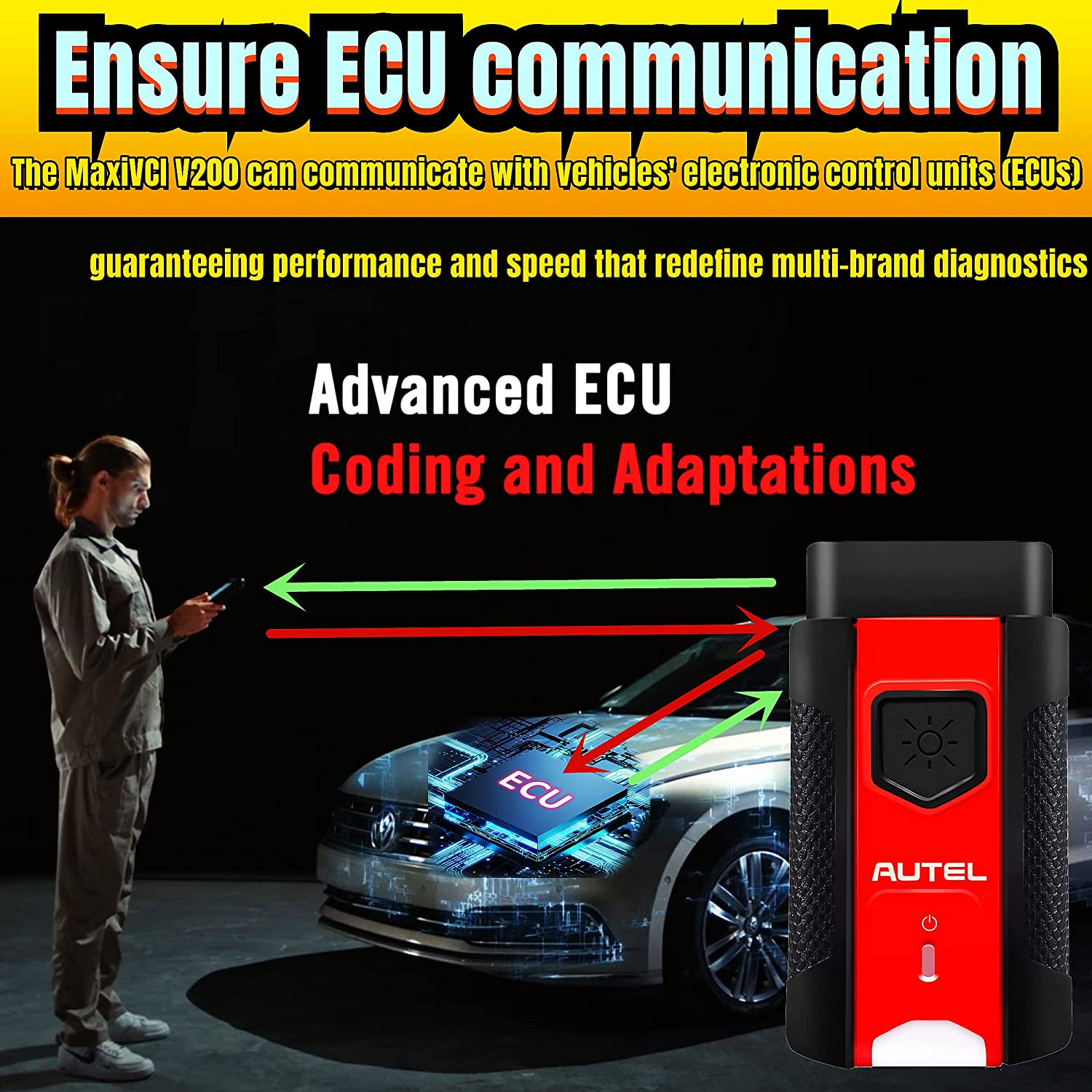
The MaxiVCI V200 can communicate with vehicles’ electronic control units (ECUs), guaranteeing performance and speed that redefine multi-brand diagnostics. The development of this interface has been focused on reducing the communication time, and ensuring the tool is practical to use. The MaxiSYS diagnostic platform combines the MaxiVCI V200 and the display tablet with technical information into a single program, ensuring quick and simple access to the vehicle to perform comprehensive diagnostics applications.
The MaxiVCI V200 includes:
1. Compatible with Autel BT609, MaxiIM KM100, MS906Pro, MS906Pro-TS, MaxiBAS BT508, MaxiTPMS ITS600,etc.
2. Supports The Latest OBD2 Protocols: DoIP and CAN-FD (4-pin sets)
3. Lightweight Vehicle Connection Interface (VCI)
4. Ultra-Fast OBDII-Port Communication Within 75 Feet
5. Supports Comprehensive Diagnosis and Reading of Control Modules
6. Wirelessly Connects Vehicle ECU to MaxiSYS Tablets Supporting Bluetooth
7. Features Convenient Wireless Bluetooth Technology Enabling Tech to Perform Diagnostics Outside of Vehicle
8. Built-In Battery, Internet Update, User Friendly
Note:The Tablet in This Advertising is Not Included! It is for Reference Only!
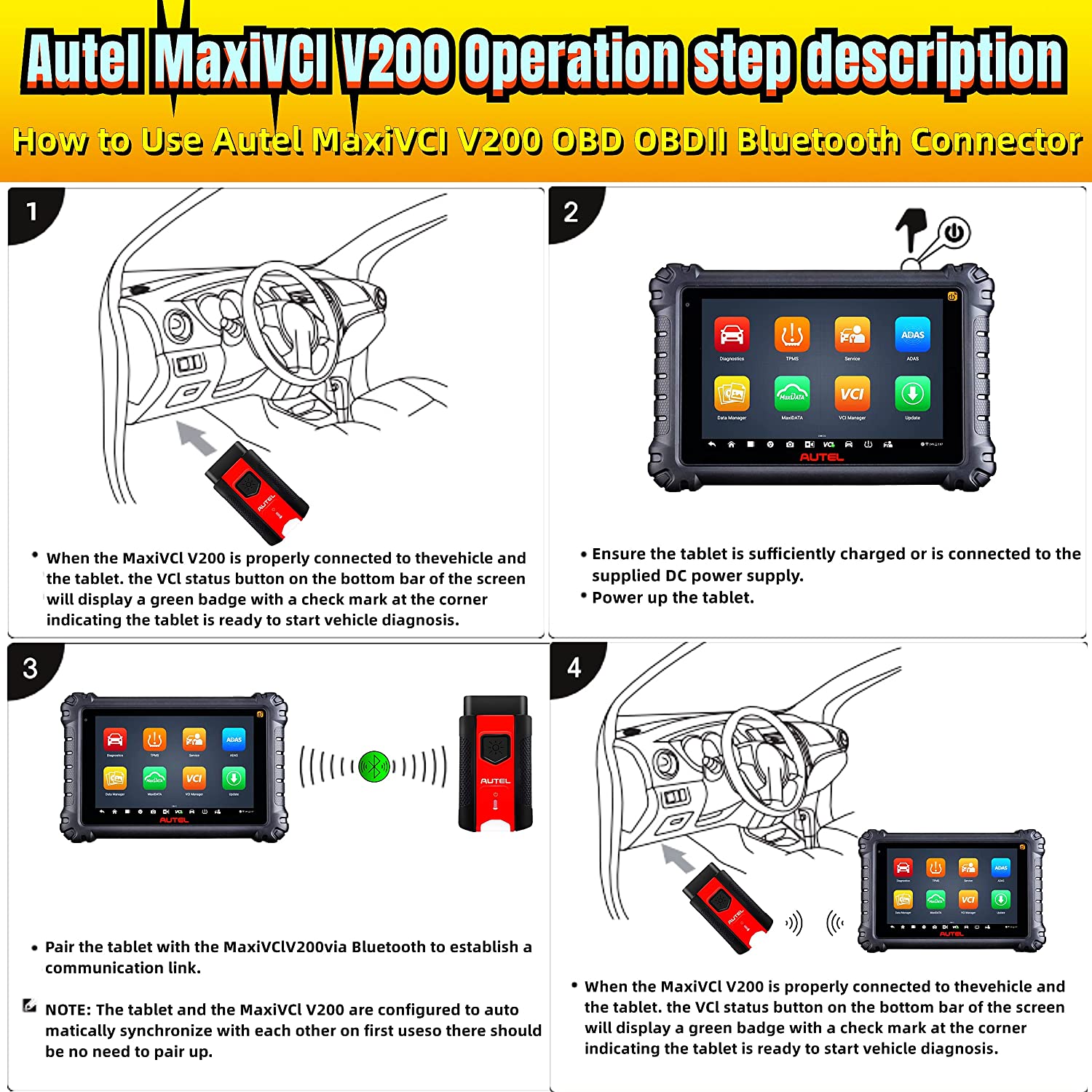
STEP 1
Insert the vehicle data connector on the MaxiVCI V200 into the vehicle’s DLC, which is generally located under the vehicle dashboard.
STEP 2
Ensure the tablet is sufficiently charged or is connected to the supplied DC power supply.
Power up the tablet.
STEP 3
Pair the tablet with the MaxiVCI V200 via bluetooth to establish a communication link.Alternatively, connect the tablet and the MaxiVCI V200 using the USB cablt.
NOTE: The tablet and the MaxiVCI V200 are configured to auto-matically synchronize with each other on first use, so there should be no need to pair up.
STEP 4
When the MaxiVCI V200 is properly connected to the vehicle and the tablet, the VCI status button on the bottom bar of the screen will display a green badge with a check mark at the corner indicating the tablet is ready to start vehicle diagnosie.



 Car Diagnostics
 Car Diagnostics
 Out of stock
Car Diagnostics
Out of stock
Car Diagnostics Car Diagnostics